
Platform tools
Document Transition Assistant
Review MasterFormat 2020 classifications in a PDF and identify available MasterFormat 2026 transitions.
Review a whole document
Instead of checking classifications one at a time, upload a PDF to review MasterFormat references throughout the document.
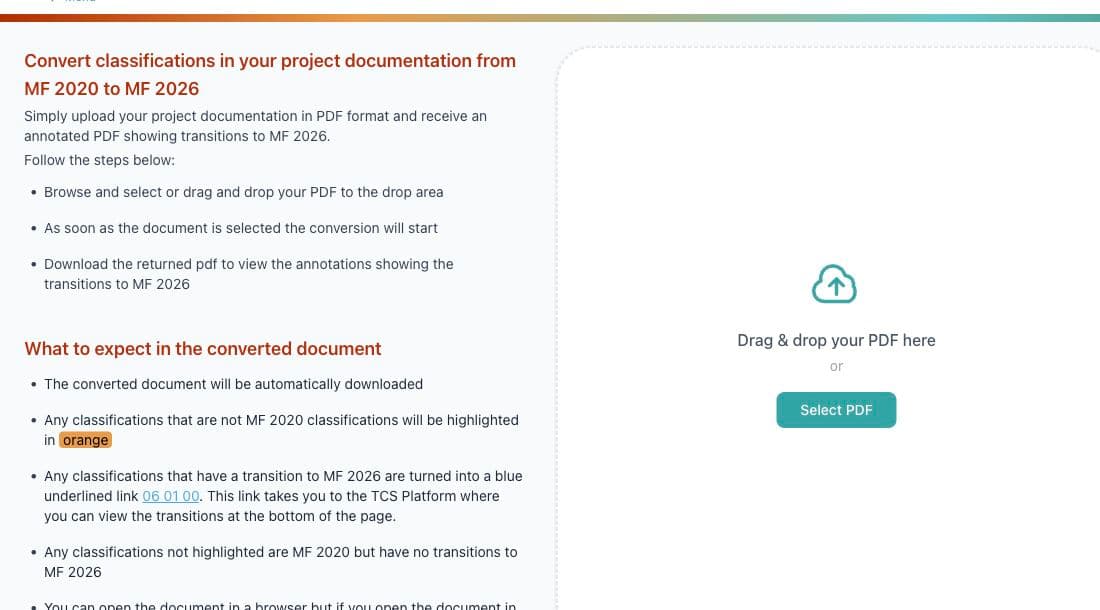
How it works
- Upload a PDF.
- The platform checks MasterFormat references in the document.
- Download the annotated PDF.
- Review the identified transitions.
- Apply any accepted changes to your source document.
The assistant does not rewrite your source document. It creates an annotated review copy so you can decide which changes to make.
Read the annotations
- Orange highlighting identifies text that is not recognized as a MasterFormat 2020 classification.
- A classification with an MF 2026 transition becomes a blue underlined link, such as
06 01 00. The link opens the CDS Platform record where the transition can be reviewed. - An MF 2020 classification with no available MF 2026 transition remains unhighlighted.
- Opening the PDF in Acrobat exposes comments that can help you move through the transitions. The PDF can also be opened in a browser.
Review the annotated PDF
The annotated PDF downloads automatically after processing. Use its links and comments to investigate each result, then apply accepted updates to your source document.
For the classification-level workflow and a real title-change example, see MasterFormat 2020 to 2026 Transitions.