Check AI-Generated Specifications Against MasterFormat
Verify generated MasterFormat numbers, titles, edition changes, and scope assignments before issuing construction specifications.
Quick answer
Check AI-generated specifications in three passes. Verify each MasterFormat number and title in the project edition. Review any missing or changed references against the appropriate edition history. Then have the specifier confirm that each section actually covers the work assigned to it.
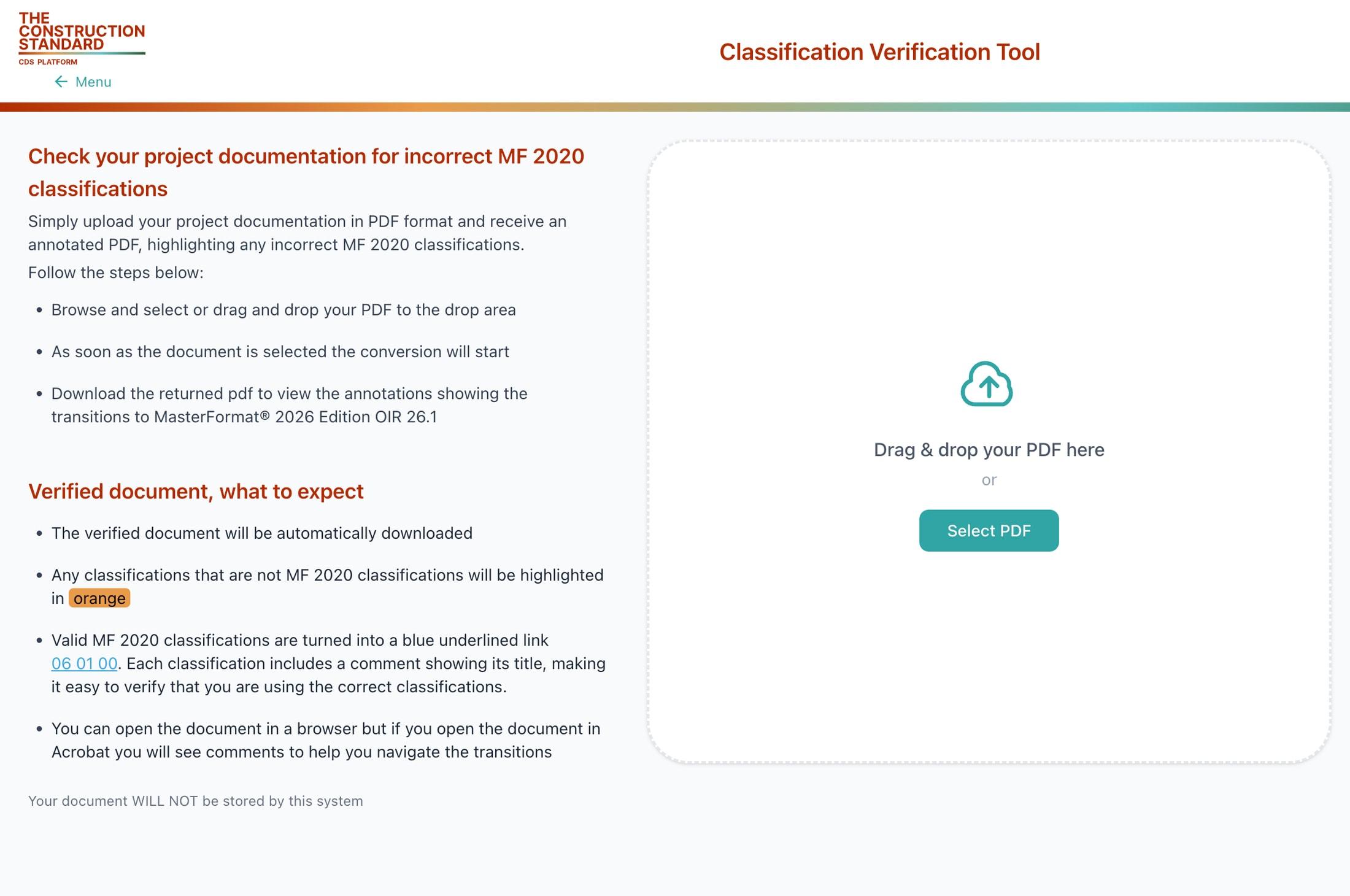
Pass 1: check the number and title together
Collect the section references from the generated draft and record which MasterFormat edition the project uses. Search for each number in CSI Dynamic Standards with that edition selected. Compare the returned title with the draft. A plausible number paired with a different title is a discrepancy that needs review, even when the number exists.
Record the source and edition with each decision. If a number does not appear, check the original project material before replacing it. The draft may contain a typo or may refer to a section from another edition. A language model’s suggested replacement is a starting point for lookup.
Pass 2: handle changed and missing references
Search the older edition if a draft appears to reuse an office master or a previous project. Review any available transition and compare the suggested successor with the work described. If the original scope now spans several sections or the match is unclear, flag it for a specifier. Document the reason for accepting or rejecting a replacement so another reviewer can repeat the check.
For a project PDF, open Classification Verification in CSI Dynamic Standards to review its classification references. Check the supported editions before running it. Treat flagged references as items to investigate, then use the lookup and the project documents to resolve them.
Pass 3: confirm the scope even when the number is valid
Suppose a generated draft places an air-handling unit and all of its controls under a single equipment section. The equipment classification might be valid in the chosen edition. The project may still assign field integration, testing, or commissioning to separate sections. Compare the draft with the equipment schedule, the control sequence, and the scope split in the project manual before approving the references.
A similar problem arises when a draft uses a schedule classification as the only reference for equipment requirements. Search for the equipment scope and compare it with the schedule. They can both be relevant, but they answer different questions. Record the link between them where the project manual calls for it.
What to save in the review record
For each flagged item, keep the generated reference, the verified number and title, the edition, the reviewer’s decision, and any unresolved scope question. When the issue is an outdated reference, keep enough context to tell which edition supplied the original reference. When the issue is scope, point to the project document that resolved it.
This review gives teams a repeatable way to check classification references before issuing specifications. A valid number and title establish that the classification exists in the selected edition. The specifier still reviews the technical requirements, coordination, and applicable project obligations.
A useful review handoff includes the items that passed, the exceptions that need action, and the person responsible for resolving them. Keep the approved draft tied to that review record. If someone regenerates or substantially edits the specification later, recheck the affected section references before relying on the earlier review.
Start with the AI-assisted MasterFormat lookup for a single scope item. Use the MasterFormat specification-writing guide to connect checked references to the rest of the project manual.
Access Current CSI Standards
CSI Dynamic Standards provides authorized access to MasterFormat, UniFormat, and OmniClass through a connected, edition-aware platform. Create an account to view access options, or review pricing for organization-wide standards use.
Sources and review scope
Reviewed against CSI’s public standards information for scope, terminology, and licensing context. This public guide provides orientation and does not reproduce or replace the licensed standard. Content review date: November 10, 2026.
People also search for
Explore closely related CSI divisions, standards, and construction classification topics.
Access MasterFormat®, UniFormat®,
and OmniClass®

123 N Pitt St. Suite 450
Alexandria, VA 22314info@theconstructionstandard.com