MasterFormat 2026 Index and Division Hierarchies
Find the MasterFormat 2026 index and browse divisions or look up section numbers in CSI Dynamic Standards.
Quick answer
Browse the MasterFormat 2026 division and section hierarchy in CSI Dynamic Standards. Open Division Hierarchies, choose MasterFormat and the 2026 edition, and expand the branch relevant to your work. If you already know a section number or title, use Standards Search to go directly to a candidate classification.
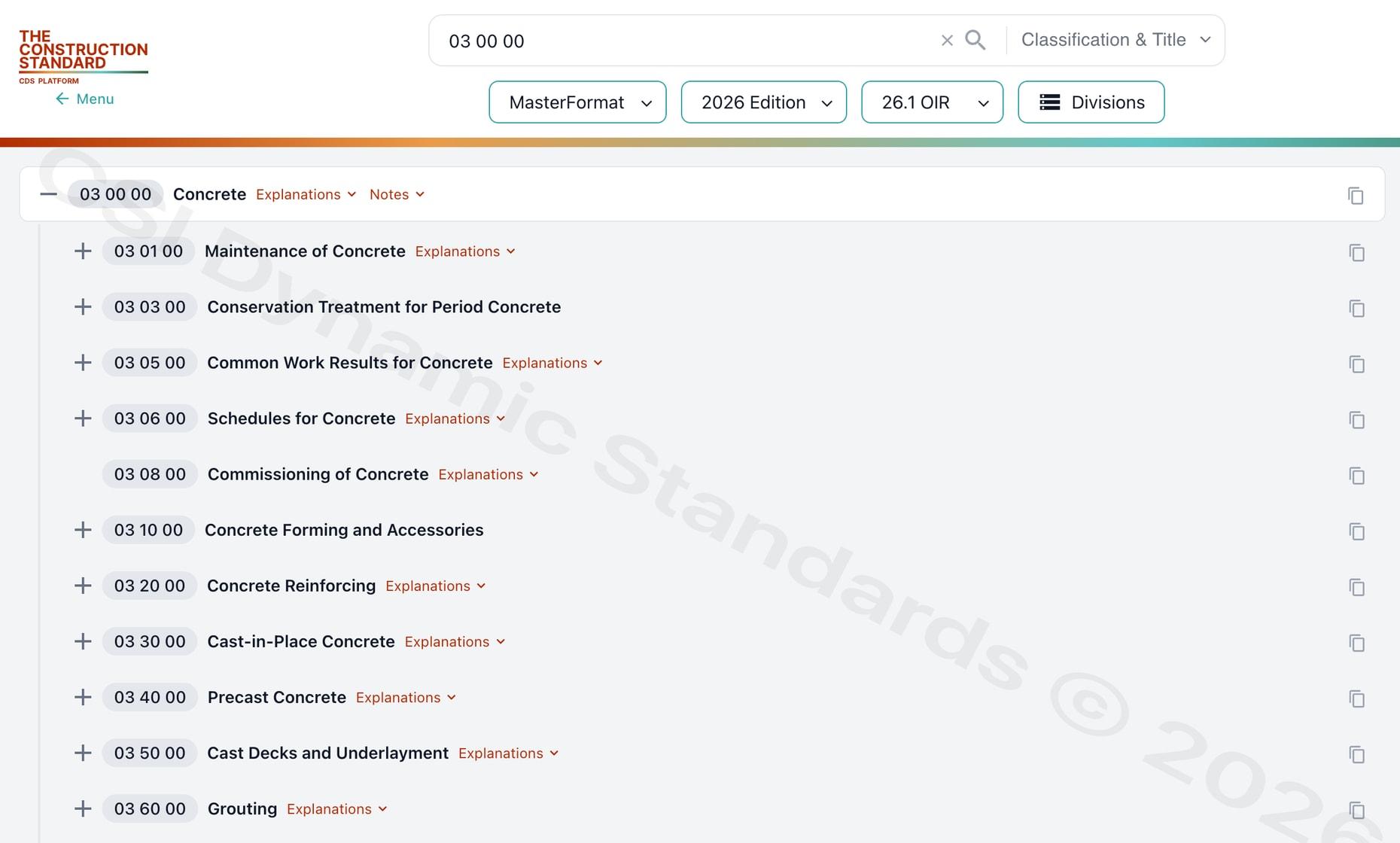
Find the index when you know only the broad scope
A division is a starting point for browsing related work results. It helps you identify a branch of the hierarchy and see which classifications sit beneath it. For example, if you are looking for a section for air handling equipment, start with the relevant HVAC division, then review the equipment classifications beneath it. The correct section depends on the scope, the equipment, and the project’s edition.
When more than one branch seems relevant, use the hierarchy to compare the scope of each candidate. A piece of equipment may be described in one part of the project manual while field installation or controls integration is assigned separately. Confirm how the project documents allocate the work before using a classification reference in the specification or bid package.
Look up a number you already have
Use Standards Search when a draft specification, drawing note, or estimate gives you a section number. Select the edition that the project or source document uses. Search the number or title and open the result to confirm that both agree. This also helps when a team is looking at an older project manual and wants to know which current reference to review.
If you find a number in an older source and need to work in the 2026 edition, use the available edition transitions to investigate the change. Then check the scope of any suggested replacement against the work described in the project. See MasterFormat lookup for specifiers for a scope-based example.
Distinguish the hierarchy from an edition overview
The hierarchy is where you browse the divisions and their classifications. The MasterFormat 2026 edition page describes the edition and available update context. Use the edition page when you need to establish which reference applies. Use Division Hierarchies when you are ready to browse the actual classifications.
See MasterFormat 2026 PDF and authorized access for information about the PDF, or visit MasterFormat 2026 PDF download for licensed data access options. CSI delivers MasterFormat 2026 through CSI Dynamic Standards. If you are looking for classification data to use in a separate product or database, review licensed data access so the integration requirements can be discussed separately from browser access.
Keep the edition with the result
When you record a section reference, keep the number, title, edition, and source together. If your workspace also displays an Operational Information Release, record it separately from the edition. This helps another person reproduce the lookup and explains why a result from a historical project may differ from the classification they see in the platform.
Open Division Hierarchies to browse by division or use Standards Search to check a known reference. If you need an account, sign up for access through The Construction Standard.
Access Current CSI Standards
CSI Dynamic Standards provides authorized access to MasterFormat, UniFormat, and OmniClass through a connected, edition-aware platform. Create an account to view access options, or review pricing for organization-wide standards use.
Sources and review scope
Reviewed against CSI’s public standards information for scope, terminology, and licensing context. This public guide provides orientation and does not reproduce or replace the licensed standard. Content review date: November 10, 2026.
People also search for
Explore closely related CSI divisions, standards, and construction classification topics.
Access MasterFormat®, UniFormat®,
and OmniClass®

123 N Pitt St. Suite 450
Alexandria, VA 22314info@theconstructionstandard.com